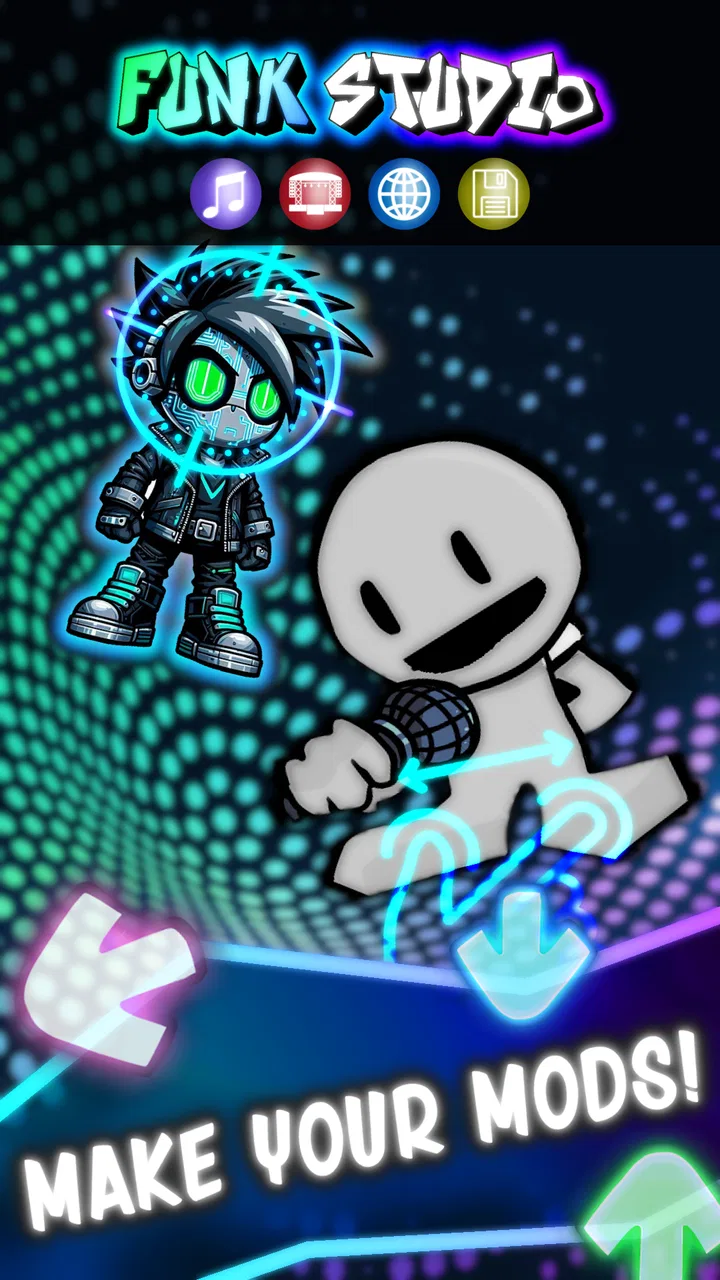
Funk Studio - Make Your Mods
- 3.4
- Rating
- 100.00K
- Installs
- Free
- Price

 Analysis by App-foxy
Funk Studio is a music game from HYOCT that lets me experiment with funky mods without requiring traditional coding. At its best, it feels less like a conventional rhythm game and more like a small creative playground: I can build, adjust, share, and play musical ideas, then see how other people have approached the same kind of playful sound-making.
The important distinction is that I am not opening it simply to listen to finished tracks. The appeal is participation. Funk Studio puts creation and play close together, which makes it interesting for anyone who enjoys tinkering with music but does not want to begin with a full production suite. I found the concept approachable, although it also asks for more patience than a standard pick-up-and-play music game.
What Funk Studio feels like in use
The game is built around a codeless engine, so its creative side does not depend on writing programming syntax. That makes a meaningful difference for beginners. Instead of facing a blank coding screen, I can focus on arranging ideas, testing changes, and listening to the result. The process is still creative work, but the barrier is lower than it would be in a conventional development tool.
You May Also Like

 AccuWeather: Weather Radar
AccuWeather Review: A Quick, Clear Forecast for Everyday Decisions
For everyday plans, the best forecast is the one you can understand quickly. AccuWeather makes rain timing, radar, and local conditions easy to act on, with a few trade-offs.

 Hill Climb Racing
Why Hill Climb Racing Still Turns Crashes Into One More Run
A tiny car, a bumpy hill and one more upgrade: Hill Climb Racing keeps resurfacing because its simple chaos makes every near-miss feel personal.

 AliExpress - Shopping App
AliExpress Makes Global Shopping Feel Personal, but Shoppers Bear the Risk
AliExpress turns a global marketplace into a pocket-sized discovery engine. Its reach is useful, its shopping loop compelling, and its trade-offs easy to miss.

 Lords Mobile: Kingdom Wars
Lords Mobile Is a Kingdom-Building Routine, Not a Quick Match
A case-by-case verdict on the building, battles, device demands, and social commitments that make Lords Mobile rewarding for some players and exhausting for others.

 PDF Scanner app - TapScanner
TapScanner Makes Paperwork Easier to Capture, Check, and Share
TapScanner makes scanning with a phone feel less like a rescue operation and more like a dependable step in getting work done. Its capture tools are useful, though not flawless.

 Block Blast!
 Shows How Much a Puzzle Game Can Leave Out
A quiet grid game shows why puzzle players increasingly value instant clarity, repeatable skill and low-pressure play—and where the genre still needs to catch up.
More From Our News Desk
View All News


Its online platform adds a social layer to the experience. Sharing a mod is not just an export step; it is part of the reason to keep experimenting. I can treat a creation as a personal sketch, a playable experiment, or something worth showing to other users. That range gives the game more staying power than a music title that only asks me to repeat preset songs.
I would describe the central loop as make, test, refine, and play. That loop sounds simple, but it changes depending on my mood. Sometimes I want to spend a few minutes trying a quick idea. At other times, I would rather explore what other players have made and use those examples to understand the possibilities. The best sessions happen when I stop expecting a conventional score-chasing game and approach it as a compact creative tool.
There is also a useful psychological advantage to the codeless approach. I can make a mistake without feeling that I have broken a complicated project. Trying an unusual arrangement becomes part of the fun rather than a technical risk. For younger players and complete beginners, that can make experimentation feel inviting. For experienced creators, however, the same simplicity may eventually feel restrictive if they want detailed control.
Who developed it and what the store details mean
HYOCT is the developer behind the game. Funk Studio is listed as a free download, so I can begin exploring without paying an entry fee. That matters because the concept is unusual enough that many people will want to test the workflow before deciding whether it suits them.
The free starting point should not be confused with a completely cost-free experience in every respect. The game includes in-app purchases priced from $1.99 to $2.99 per item. I see that as a relatively clear value question: use the free access to decide whether the creative tools and shared content are worth spending on, rather than buying the game before understanding its appeal.
That pricing also makes the game easier to recommend cautiously. Someone curious about making funky mods can try the basic experience first. Someone who dislikes optional purchases on principle should pay attention to where those items fit into the workflow before committing money. I would not treat the presence of purchases as an automatic problem, but I would judge every paid item by whether it meaningfully expands creativity rather than merely decorating the experience.
The age rating is Everyone, which fits the broad, playful idea of making and sharing music. It should appeal to families, younger experimenters, and adults who want something creative rather than competitive. Still, an Everyone rating does not tell me whether the interface will be equally comfortable for every age group. Younger users may need help understanding the creation process, especially when moving from playing existing work to building something of their own.
The game was released on Jul 30, 2023, and the current version is 1.0.13. It requires Android 6.0 or later. Those details are useful before installing, particularly if I am using an older device. The version number also tells me to check that my installation is current when troubleshooting, because creative tools and online features are more sensitive to version differences than a simple offline music player.
What value I get without paying
The strongest value is the chance to try a creative format that sits between a music game and a beginner-friendly creation environment. Free access lets me discover whether I enjoy making mods, not just playing them. That distinction is important: if I only want instant rhythm challenges, the game may feel too open-ended. If I like adjusting ideas and hearing the consequences, the free entry is much more compelling.
I also value the sharing angle because it gives experiments a purpose. A small musical idea can feel disposable when I make it only for myself. Sharing turns it into something I can revisit, compare, and discuss through the platform’s community context. Even without treating every creation as a polished composition, I can learn from the contrast between my approach and someone else’s.
One practical way to use the free version is to set a small goal for each session. Instead of trying to create a complete masterpiece, I might focus on changing one musical relationship, testing one unusual combination, or making a short mod that has a clear mood. This keeps the game from becoming overwhelming and makes it easier to judge whether the tools are genuinely enjoyable.
Another useful workflow is to play before creating. Exploring existing mods can help me understand the game’s creative language faster than opening the editor with no direction. I can notice what feels lively, what becomes repetitive, and which kinds of changes are satisfying. Then I can make a deliberately small variation rather than guessing at every step.
That approach reveals one of the game’s less obvious strengths: it can function as a gentle introduction to interactive music design. I am not simply choosing a track and pressing along to it. I am learning, through trial and error, that structure and playability affect how a musical idea feels. The lessons are informal, but they can be more memorable because I discover them through direct experimentation.
Where the paid value needs careful judgment
Because the game is free to start and paid items sit between $1.99 and $2.99 each, I would avoid buying anything immediately. I would first spend enough time with the free experience to answer three personal questions: Do I enjoy creating more than consuming? Do I return to shared mods? Does the available workflow make me want greater variety or control?
If the answer to those questions is yes, an individual purchase may feel reasonable. The value would come from extending a creative activity I already use, not from trying to unlock enjoyment that was missing at the beginning. That is a healthier way to evaluate optional spending in a game like this, especially when the exact appeal depends so much on personal interest in music-making.
I would also separate paid value from perceived status. A paid item should help me make or play something I genuinely want. It should not be considered worthwhile merely because it makes a creation look more impressive to other people. The online platform can encourage comparison, so I would keep my focus on whether a purchase improves my own process.
For a casual player who opens the game once and moves on, even a small purchase may not offer good value. For a hobbyist who repeatedly builds mods and shares them, the same amount can be easier to justify. The difference is not the price alone; it is how often the creative loop becomes part of my routine.
The trade-offs behind the codeless design
The codeless engine is both the game’s biggest invitation and one of its clearest limits. It makes experimentation less intimidating, but it also means I should not expect the precision or depth of a professional digital audio workstation or a full game-development environment. Funk Studio is better suited to quick, playful construction than to detailed production work.
That trade-off affects different users in different ways. A beginner may appreciate not having to learn programming or complex audio terminology. An experienced musician may enjoy the unusual constraints at first, then want finer control over timing, sound design, or structure. I would not call that a flaw so much as a boundary: the game is designed around accessible creation, not unlimited technical authorship.
The online platform is another mixed point. Sharing can make the experience feel alive and give me reasons to return, but it also means the game’s appeal is partly connected to what other users create. If I prefer a completely private, offline activity, that social orientation may feel unnecessary. If I enjoy browsing community work and responding through my own creations, it becomes a major part of the value.
There is a difference between making something quickly and making something satisfying. The first few experiments may be enjoyable because everything feels new. After that, I need a personal method for refining ideas. Without one, the game could become a sequence of unfinished tests. My advice is to save or share creations that have a clear purpose, even if that purpose is simply “a strange, energetic loop,” so the process feels intentional.
The average rating is 3.4 from around 1.4 thousand ratings, with more than 200 written reviews. I read that as a sign to keep expectations measured rather than assuming universal appeal. The concept is distinctive, but distinctive tools often divide users: some want the freedom to experiment, while others want clearer goals, stronger progression, or a more traditional music-game structure.
A realistic everyday use case
Imagine having a short break after school or work and wanting something more active than streaming music but less demanding than a full game session. I could open Funk Studio, browse a few shared mods, choose one idea that catches my attention, and then spend the rest of the break making a small variation. The session has a beginning, a creative task, and a playable result without requiring me to prepare a complete project.
For a parent, it could be a way to let a child explore musical cause and effect within an Everyone-rated game. I would still sit nearby at first, not because the concept is inherently difficult, but because the child may need help understanding how a finished mod differs from a work in progress. Once that distinction is clear, the child can focus on experimentation rather than asking how to begin.
For an aspiring creator, the game can serve as a low-pressure sketchbook. I would use it to test moods and playful structures, then judge whether the idea is worth developing elsewhere. It is not a replacement for a dedicated production setup, but it can be a convenient place to discover what kind of musical interaction I actually enjoy.
Who should try it, and who should skip it
I think Funk Studio is a good match for curious beginners, casual music fans, and people who enjoy user-created content. It is especially appealing if I want to make something interactive without learning code first. The free starting point lowers the risk, while the sharing platform gives experiments a reason to exist beyond my own screen.
I would also recommend it to players who like creative constraints. A codeless system can encourage choices rather than burying me in settings. If I enjoy asking “what happens if I change this?” and then immediately playing the result, the game’s design should feel natural.
I would skip it if my priority is a polished collection of conventional rhythm challenges, a serious music-production workstation, or a large competitive progression system. Those goals call for different kinds of apps. Funk Studio is not the right choice simply because it belongs to the music category; its value depends on wanting to build and share mods.
I would be cautious too if I dislike online communities or prefer every feature to be available without optional spending. The game can still be worth trying for free, but I would not assume that free access will satisfy someone who wants maximum creative breadth immediately. The most suitable audience is willing to explore first and decide later whether extra purchases have a clear purpose.
My verdict on the free-to-paid balance
Funk Studio succeeds when I treat it as a playful music-making game rather than a replacement for a professional studio or a traditional rhythm title. Its codeless engine makes the first step approachable, and the online platform gives creations a social destination. Those two ideas work well together: I can experiment privately, then share when an idea feels ready.
The limitations are just as important. The open-ended format may not provide enough direction for players who need constant goals, and experienced creators may outgrow the simplified controls. The paid items also deserve a personal value check. Since the game is free to begin and purchases range from $1.99 to $2.99 per item, I would only spend after confirming that I return to the creation loop regularly.
With over 100 thousand installs, the game has clearly attracted a meaningful audience, but its 3.4 average suggests that its unusual format will not suit everyone. My recommendation is therefore specific: try the free experience if making and sharing musical experiments sounds more exciting than simply playing songs. Give it a few focused sessions, explore other mods, and see whether the codeless workflow sparks ideas.
For me, that makes Funk Studio worth trying, but not an automatic purchase. I would recommend it to a friend who wants a friendly creative sandbox and is comfortable judging optional spending by actual use. I would point a rhythm-game purist or serious producer elsewhere. The game’s value is not in pretending to be everything at once; it is in offering a compact, accessible place to turn musical curiosity into something playable.
FAQs for Funk Studio - Make Your Mods
01What is Funk Studio - Make Your Mods?
Funk Studio - Make Your Mods is a versatile app designed for creating and customizing mods for popular games. It provides users with a user-friendly interface to modify game elements such as characters, levels, and more, enhancing the gaming experience. Ideal for creative gamers who want to personalize their gameplay.
02Is Funk Studio - Make Your Mods compatible with all games?
Funk Studio supports a wide range of popular games, but it may not be compatible with every game available on the market. Before downloading, check the app’s compatibility list to ensure it supports the specific games you wish to modify. Regular updates may expand compatibility over time.
03Do I need technical skills to use Funk Studio?
While Funk Studio is designed to be user-friendly for beginners, some basic understanding of modding principles can be helpful. The app includes tutorials and guides to assist new users. However, those with more advanced skills will find a variety of tools to enhance and customize their mods extensively.
04Is Funk Studio safe to use?
Yes, Funk Studio is safe to use. It adheres to security protocols to protect your device and data. However, users should only download mods from trusted sources within the app to avoid any potential security risks or game disruptions caused by unofficial or harmful modifications.
05Are there any costs associated with Funk Studio?
Funk Studio offers a free version with basic modding tools, which is sufficient for casual users. For more advanced features and tools, there are in-app purchases available. These premium features enhance the modding experience, providing more customization options for enthusiasts.
Pros
- User-friendly interface for easy navigation.
- Wide variety of modding tools available.
- Supports multiple game platforms.
- Active community for sharing mods.
- Regular updates with new features.
Cons
- Requires in-app purchases for premium tools.
- Occasional bugs can disrupt modding.
- Limited support for older devices.
- High battery usage during extended sessions.
- Internet connection required for most features.

Funk Studio - Make Your Mods
Gallery